Your menu online, ready for a QR code
Guests scan a code on the table and see the menu on their phone. Start from a menu template, type in your dishes and prices, and print the QR code with your link.
- An address like your-name.hostilo.page with HTTPS
- Up to 5 pages and 50 MB, no card
- A code editor with a live preview
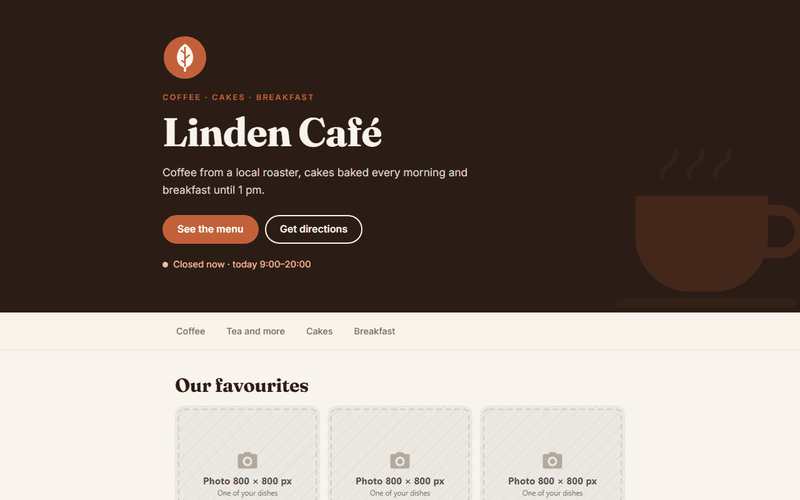
How it works
- Open the menu template, choose café, pizzeria, food truck or bakery, and enter your name and dishes.
- Create a free account and publish.
- Make a QR code for name.hostilo.page with any QR generator and print it.
Before you publish
Update prices in the editor, not on paper
The QR code keeps pointing to the same address, so changes show up immediately.
Add opening hours and a map link
It's the second thing guests look for after the menu.
Mark allergens and vegetarian dishes
Short labels like (V) or (GF) answer the most common questions.
What you get on the free plan
- An address like your-name.hostilo.page with HTTPS
- Up to 5 pages and 50 MB, no card
- A code editor with a live preview
- Visit stats for the last 7 days
- Contact forms: 50 messages a month
- Download your page as a ZIP at any time
PRO adds your own domain, 20 pages, 1 GB, no badge and a year of stats, for $29 a year. Try it free for 7 days after you sign up.
Questions
Do I need a QR code generator?
Any free one works. Paste your page address, download the image and print it.
Can I add table booking?
Yes. The restaurant template has a booking section, and you can link to your booking system.
Can I have the menu in two languages?
Yes. Add a second page, for example /en, and link it from the top of the menu.
Will it show on Google?
Yes. The page has your name, address and hours in a format search engines understand.
Related guides
Your page can be online in a minute
Sign up with an email address and a password. Free plan, no card.
Use this template free